Random mapping in Cycles materials
Computer graphics are commonly recognised over realistic images because of repeating elements. In this sense, randomness usually adds an added level of realism to images. This is a method to randomly apply mapping of textures in objects. Beware that this only works with individual objects. This means you are left with a floor made of 1000 stone blocks, in which each stone is a separate object.
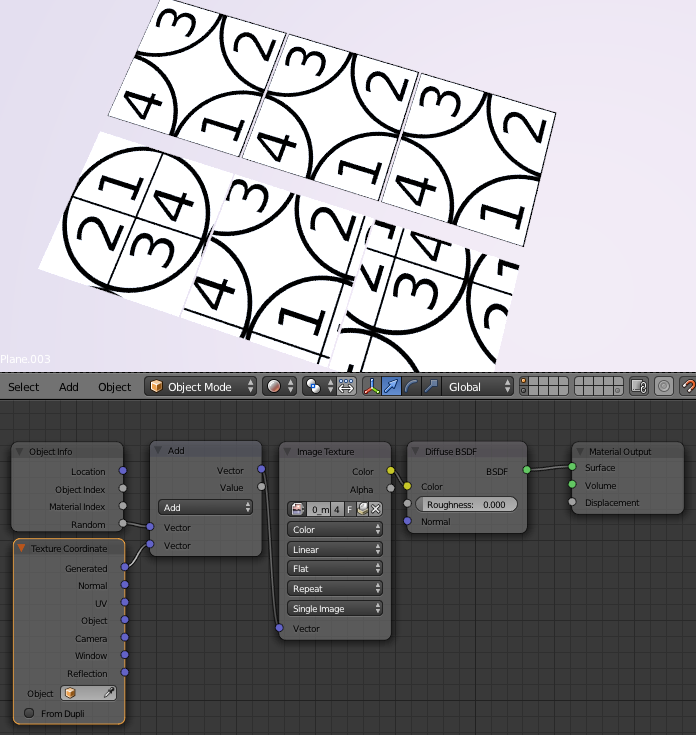
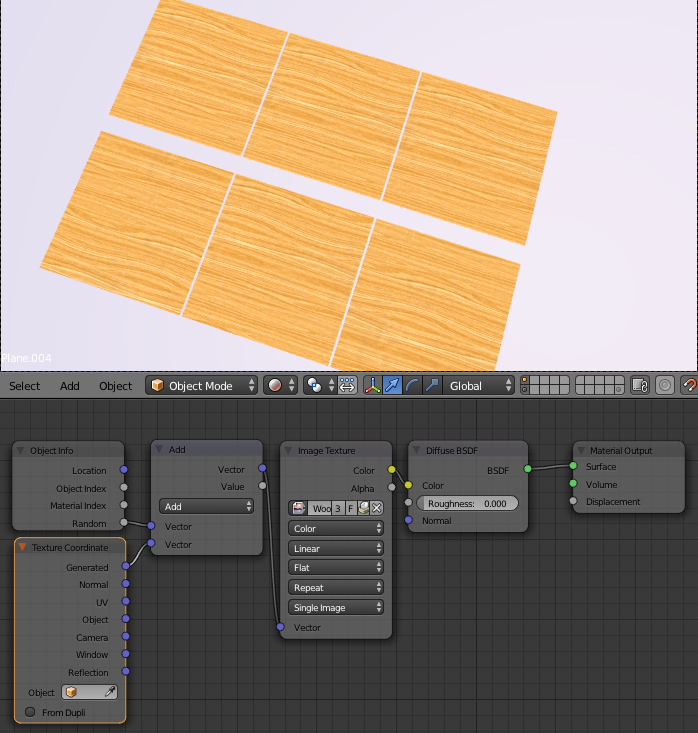
The trick here is to modify the vetor mapping with a Random number issued by each object. Of course this method is only good if no particular location for the texture is needed.
Following, 3 images. In each of them, you can see a rendering in which a top row with three objects use the same mapping, and the bottom row uses the tweaked mapping to achieve randomness.
- Example with Blender’s default testing image.
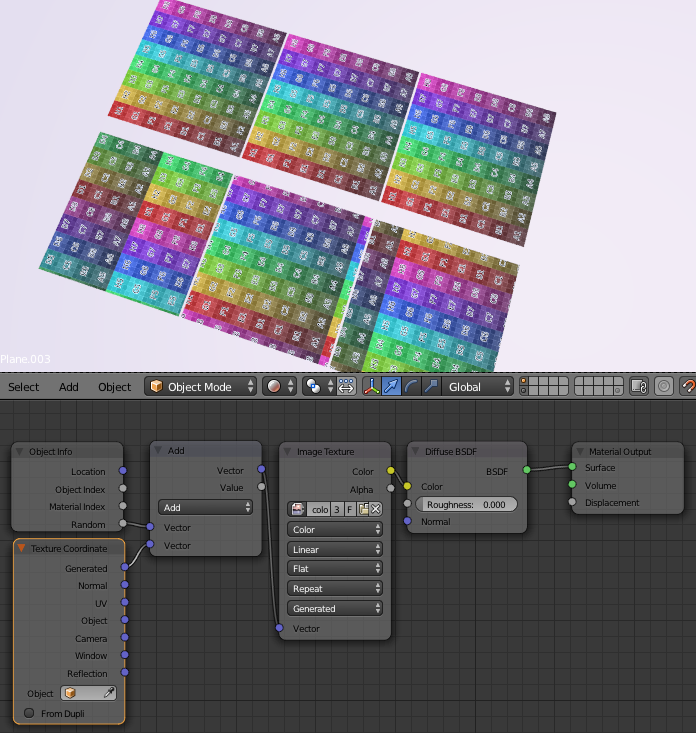
2. Example with our test texture
3. Example with a common wood texture.
Random colouring in Cycles material
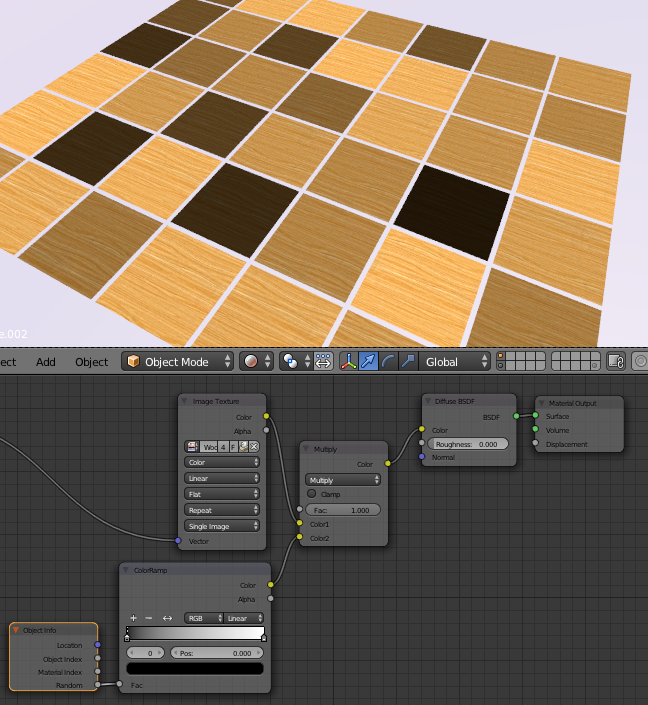
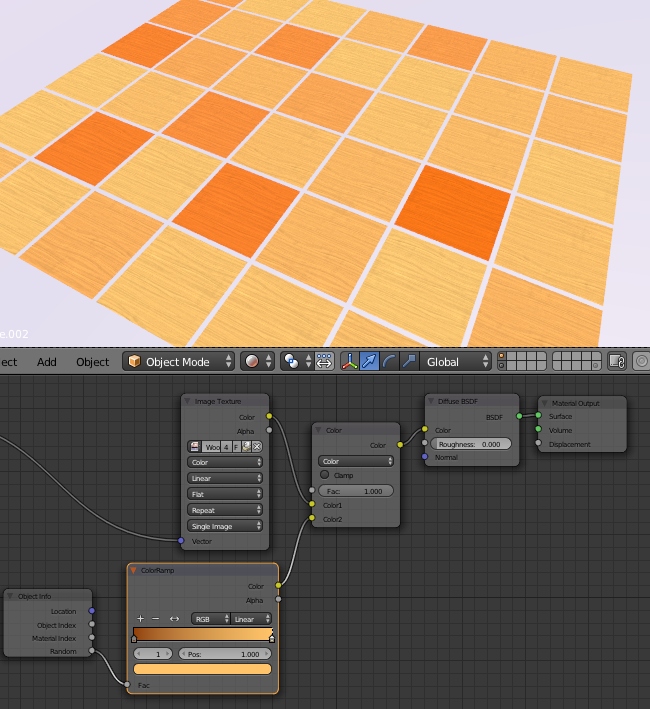
We can use the Objecto Info node to apply randomness to materials. The key here is to use a ColorRamp node to translate the range of random values into actual color values. These color values will then be applied to other nodes, usually affecting textures with a MixRGB node in which you can easily modify lightness (Screen), darkness (Multiply), Hue (Color), etc. Of course you can change color and lightness by using cascading MixRGB components.
Clamp with care
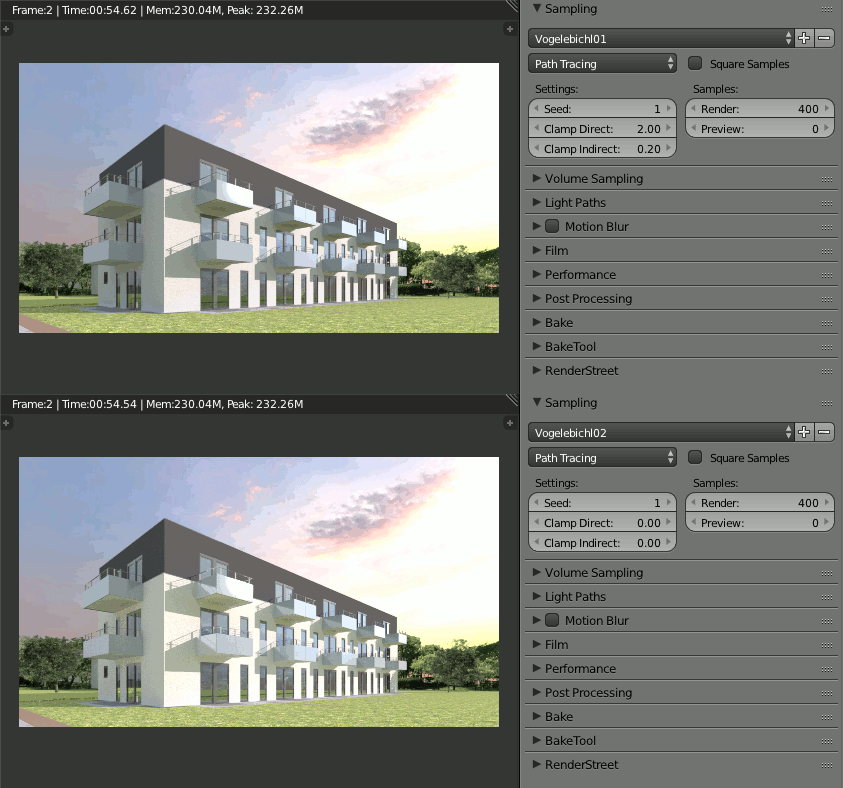
Blender Cycles clamp setting is a saviour in hard to resolve fireflies, besides a myriad of other methods. Usage of clamp should be taken with care though, as clamping does not only clamp the high values of the mischiveous fireflies, as it also clamps the good brightness of the scene. Below, you can find a comparison between two renders with different clamp settings, with noticeably duller looks on the clamped one.