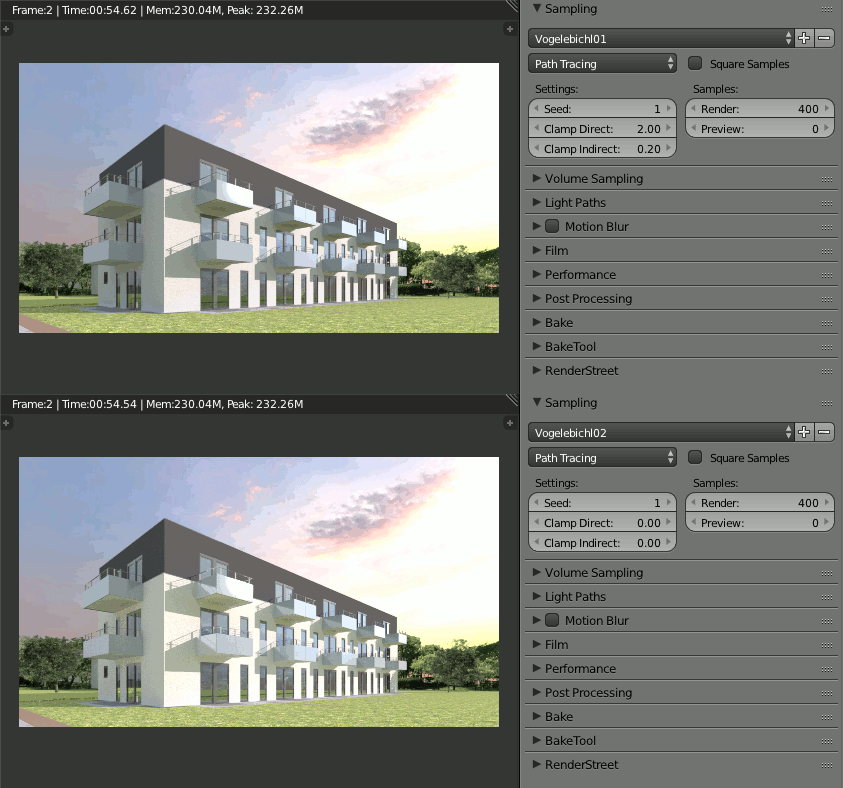
When rendering a scene to Blender Cycles with lots of vegetation, we noticed how it took so long to load the geometry into the BVH. We also noticed a string of text saying “0 duplicates”. After googling a bit, we found this post in BlenderArtists, advising strongly to use particles instead of linked copies.
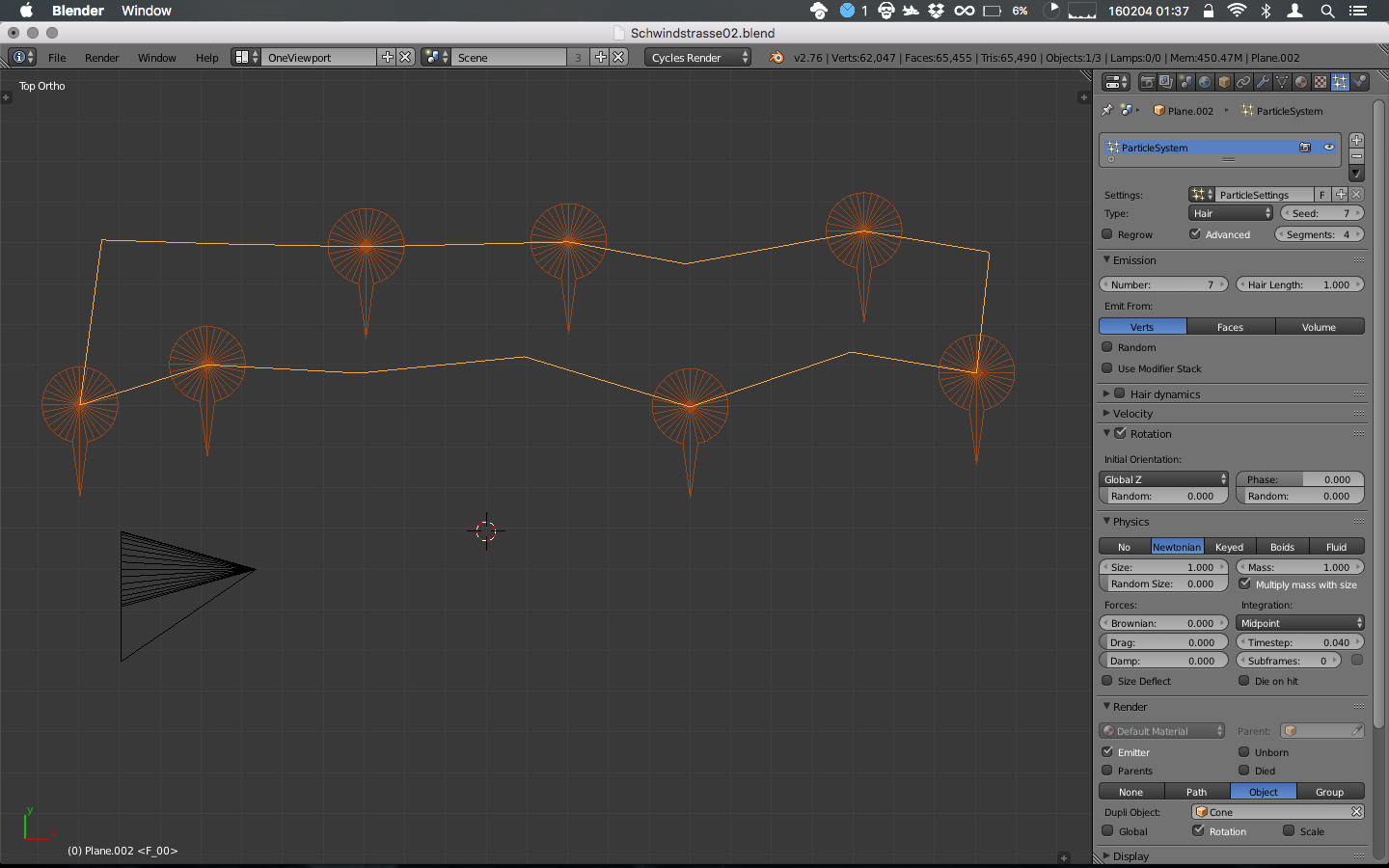
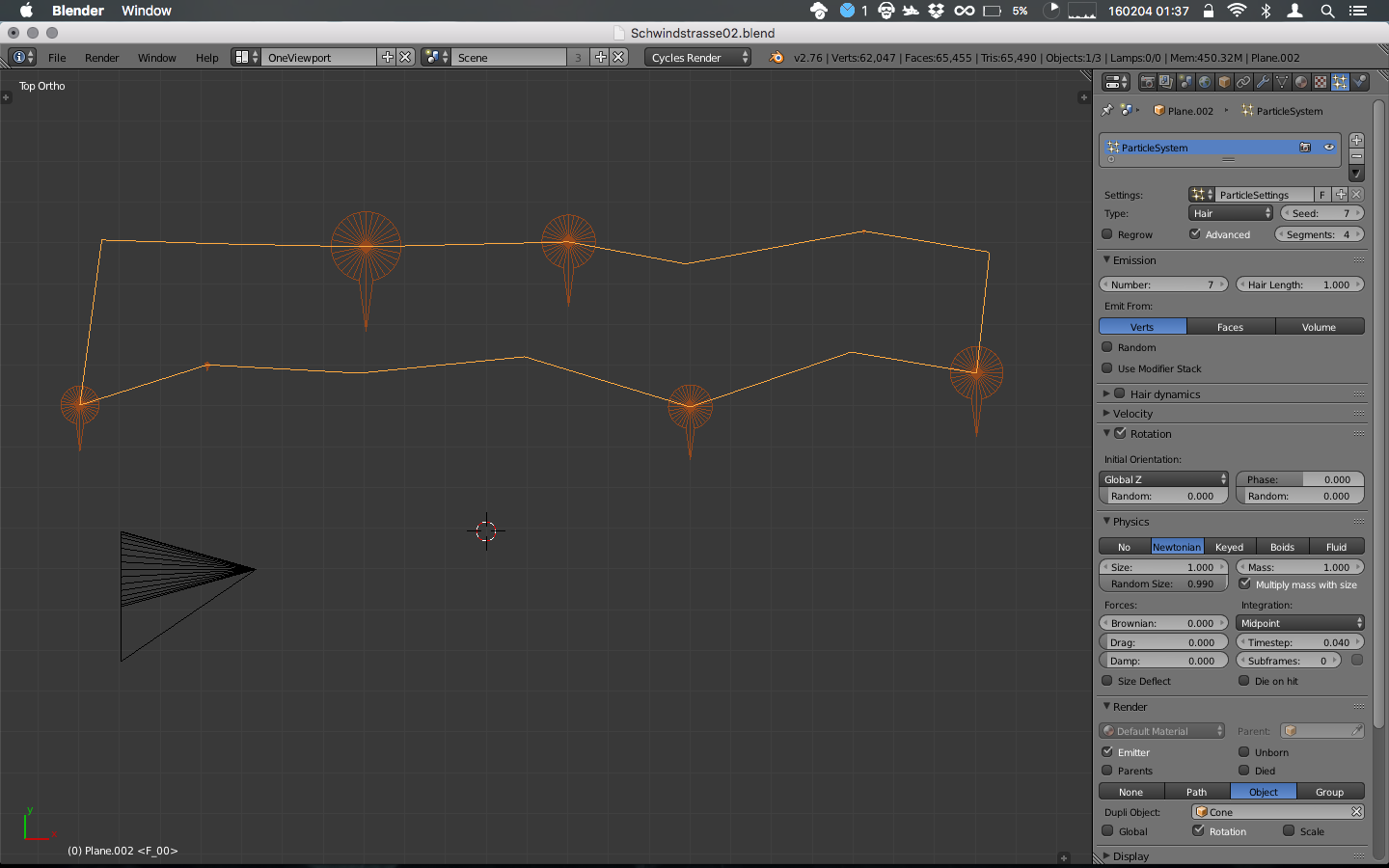
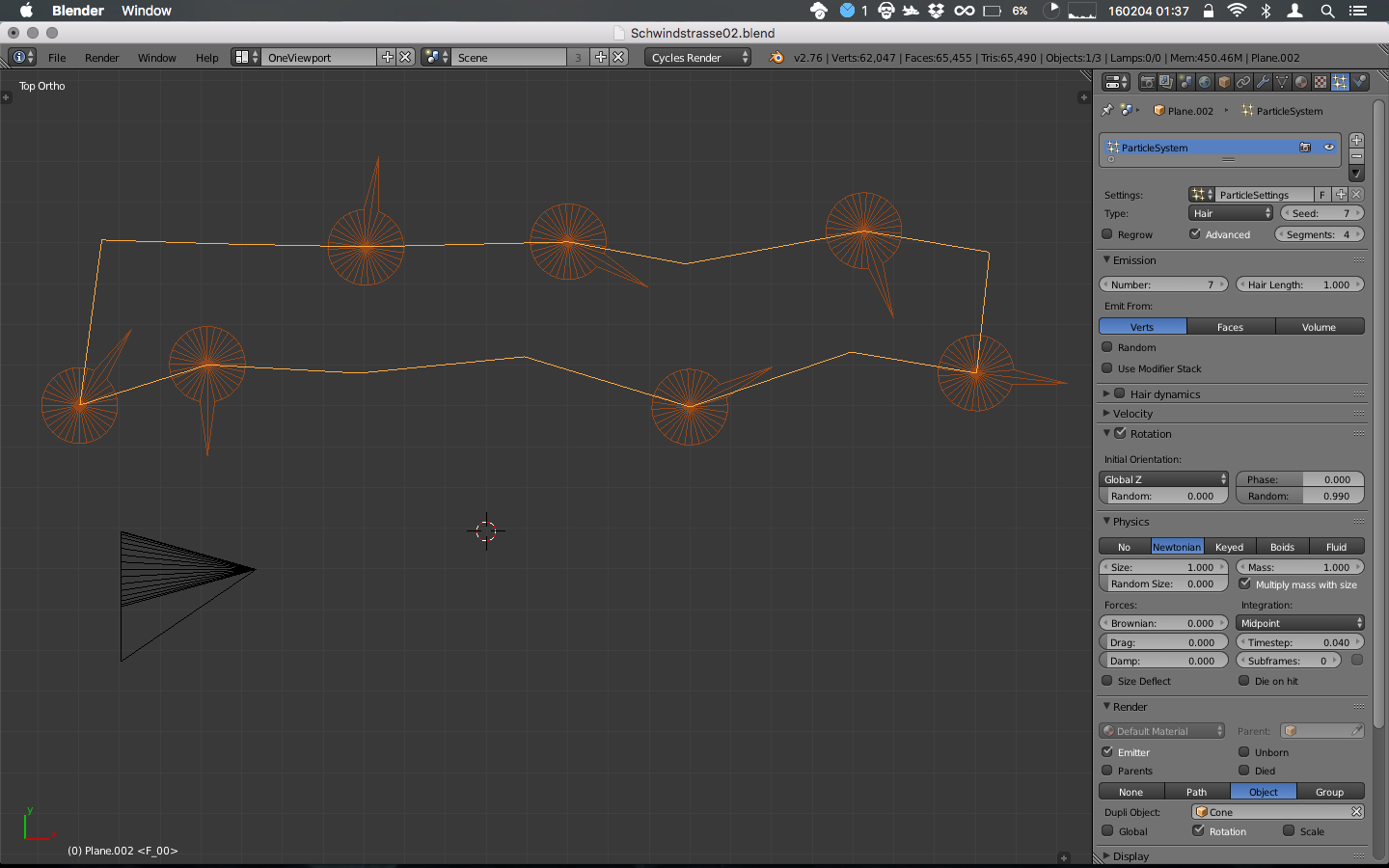
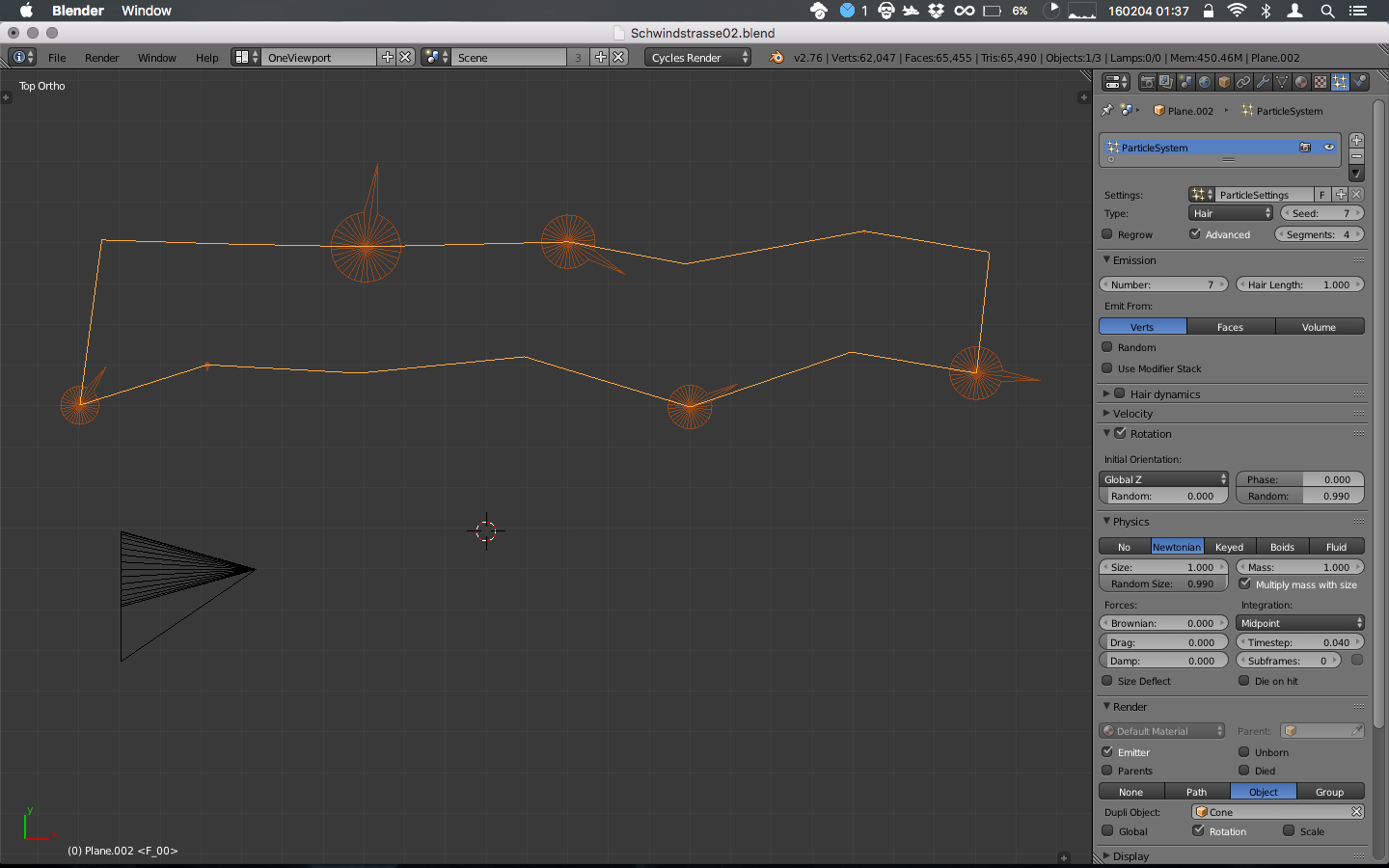
After tinkering a lot with the settings, here is how to get lots of objects aligned with a master axis (in the case of the images, Z).
The idea is to have an object you want to repeat over another mesh. This object should be rotated so that its +Z tip is actually pointing +X. Then you should use it as a Render Object in a Hair Particle System and copy the settings in the screen shots below.
- Example with objects distributed with same rotation and scale.
2. Example with objects with random Scale.
3. Example with objects with random Rotation.
4. Example with objects with random Rotation and Scale.
With their method, we were effectively using memory optimisation, and complex scene with thousands of objects loaded almost instantly.